Touch-free entry
Hands-free door activation through a compatible sensor.

DOOR & WINDOW AUTOMATION CONTROLS
Touch, voice or discreet access. Choose how your automated doors respond to you.
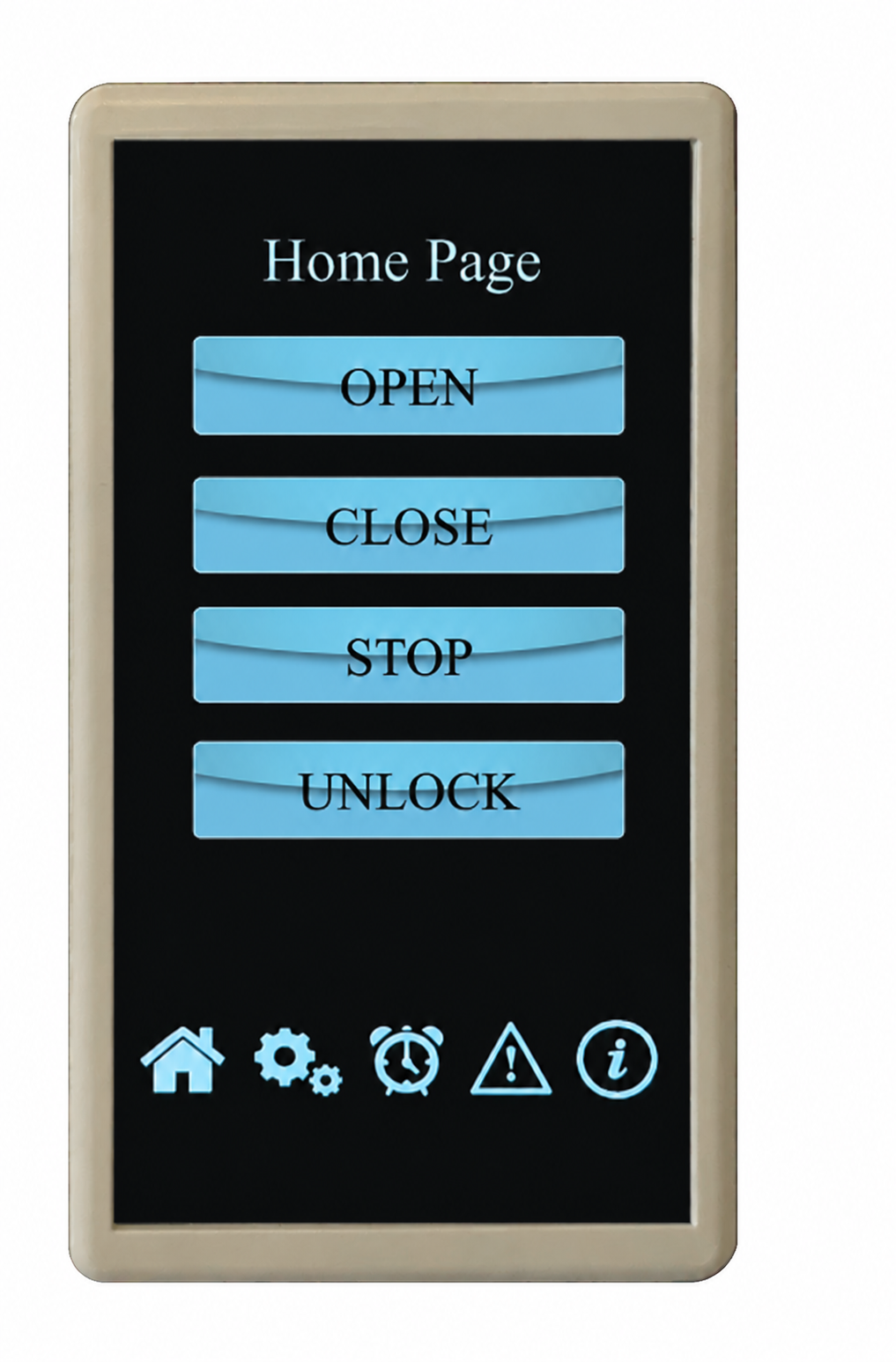
12-IN-1 TOUCHSCREEN DOOR CONTROL
Everyday door operation from a dedicated touchscreen, with access settings tailored to the selected system.
12-IN-1 TOUCHSCREEN · THE DETAILS
The 12-in-1 touchscreen is the main wall control for an automated door. It is the current touchscreen in the Airla range.
VOICE CONTROL FOR COMPATIBLE DOORS
Explore supported door operation through the platform you already use.



Requires the correct interface and configuration. Airla confirms supported door commands for your installation.
MORE WAYS TO OPERATE YOUR DOOR
For windows, discuss individual or grouped operation, weather sensing and suitable backup power with Airla.
Door systems connect to a home or building control system through a dry-contact interface at the control box. The control system provides four momentary relay outputs, one each for open, close, stop and unlock.
KNX, C-Bus and Dynalite connect this way. The same relay method applies to platforms such as Control4 or Crestron where your integrator provides the relay outputs. Your integrator supplies and programs the relays; Airla confirms the wiring and the commands.
Window controllers accept a wired switch input, and a signal converter is available for third-party signals. Confirm the interface for the selected motor or actuator before the control system is designed.
Voice control uses a Wi-Fi module on the door system, included with the 12-in-1 touchscreen. Google Home and Amazon Alexa are set up as routines, one for each command.
Apple Home uses a separate module, so supporting both groups requires two modules. Third-party platform compatibility is not guaranteed. Airla confirms the interface and supported door commands for your installation.
Door motors run at 24 V DC from a control box. The control box needs a dedicated 240 V 10 A GPO installed by a licensed electrician, and can sit up to 30 metres from the motor. Battery backup is built in.
The GPO and any mains work are provided by your electrician unless agreed otherwise in the scope of works.
FOR YOUR PROJECT TEAM
Share your selected motor or actuator, preferred controls and drawings. Airla confirms the control interface, power, wiring and commissioning requirements with your manufacturer and integrator.
Confirm actuator compatibility, channel loading and the wiring arrangement before selection.
To confirm for your project: IP rating and the exact supplied variant should be confirmed for the intended location.
Confirm actuator compatibility, channel loading and the wiring arrangement before selection. Eight channels do not mean eight paired-strut windows; the catalogue limits that arrangement to four windows.
To confirm for your project: IP rating and the exact supplied variant should be confirmed for the intended location.
Interfaces, sensors and backup power must form a compatible system. Channel counts alone do not establish how many windows can operate together. Ask Airla to confirm actuator load, connection details and the final product schedule.
AUTOMATION, CONSIDERED
Share drawings, photos or a project message. We’ll help select a suitable door or window automation control.